2v2
Two against two as a team. If players are missing, bots fill the empty slots – if need be, you play alone with three bots.
The Worldheart
A multiplayer arena game in a dark forest: you steer your hero, your spells cast on their own. Recruit troops in the camps, defeat bosses and destroy the Anchorstone of the enemy base.
You move with WASD, your skills fire automatically. What counts are your decisions: which attribute, which skill, which camp first.
You start by choosing an attribute, then a skill and a passive. As the match goes on you get further offers of three cards each – pick with a click or with keys 1–3.
More than 50 skills, from Flame Burst and Fire Wall to Frost Breath and Pressure Jet to Chain Lightning and Meteor. Upgrades change how they work.
Defeat Root Rams, Mushroom Shamans, Stone Imps and Glow Beetles in their camps. After that they fight for you and march on the enemy base at every full minute.
Two Maw Worms and two Sand Queens guard their groves, Cindermaw the ruin courtyard. Whoever holds the circle of a Root Shrine gains attributes.
Glutling, Ice Spirit, Moss Golem, Wind Falcon, Lightning Spirit and Root Goblin fight at your side.
From minute 5, a Realm Rift opens every five minutes. Stronger enemies come through its tears – and, with a bit of luck, a rare Realm Card for your next choice.
Create an account: click Register at the top right. Depending on the setting, you confirm your e-mail address or the administration approves your account.Request access: during the closed beta the administration hands out the accounts (see Access on request).
For Windows, macOS or Linux under Download. The launcher downloads the game and keeps it up to date.
Sign in to the launcher, then choose Play Solo, create a game or join the matchmaking.
Get the launcher, sign in and play – in a duel, as a pair or alone against bots.
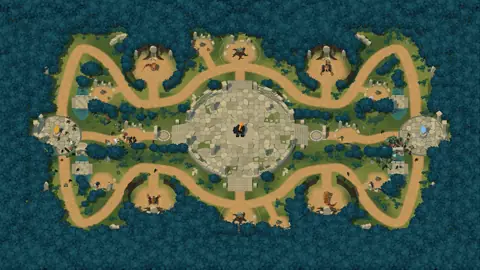
The goal of every match: destroy the Anchorstone of the enemy base. Matches are played on the Ruins Arena – two bases, with camps, boss groves and a ruin courtyard in the middle between them.
Two against two as a team. If players are missing, bots fill the empty slots – if need be, you play alone with three bots.
The duel. Open your own lobby under “Create Game” or join one under “Open games”. Without an opponent, a bot steps in if you like.
Against a bot hero on the Ruins Arena, no internet needed: try out builds, get to know camps and bosses. On first start, a short tutorial guides you across the map.
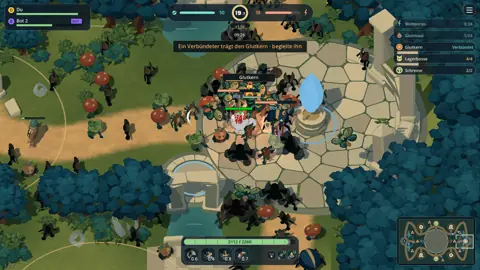
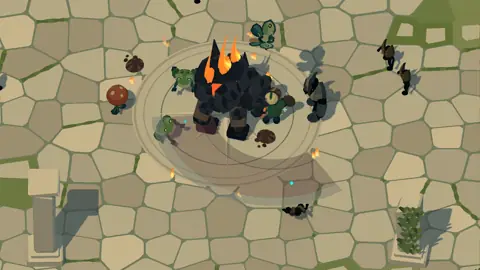
Captured in 2v2 matches on the Ruins Arena (as of 9 October 2026) with the normal game camera – two of them with interface and minimap. Click to enlarge.
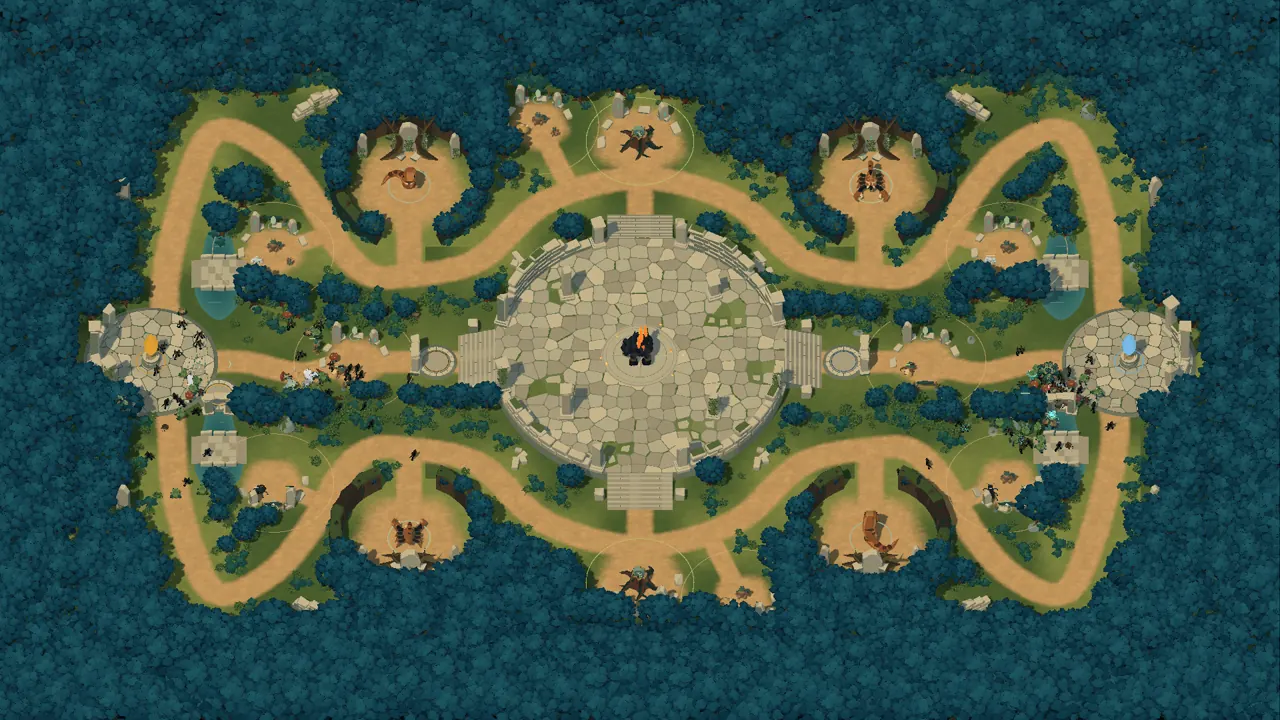
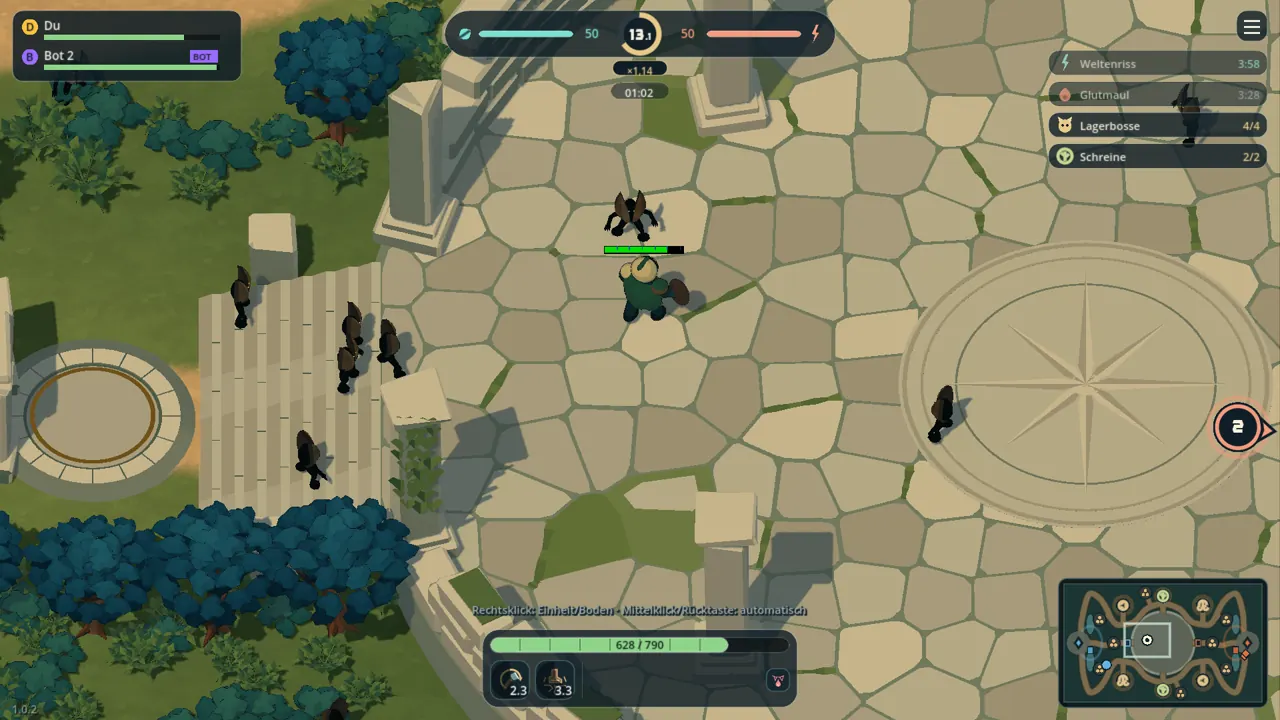
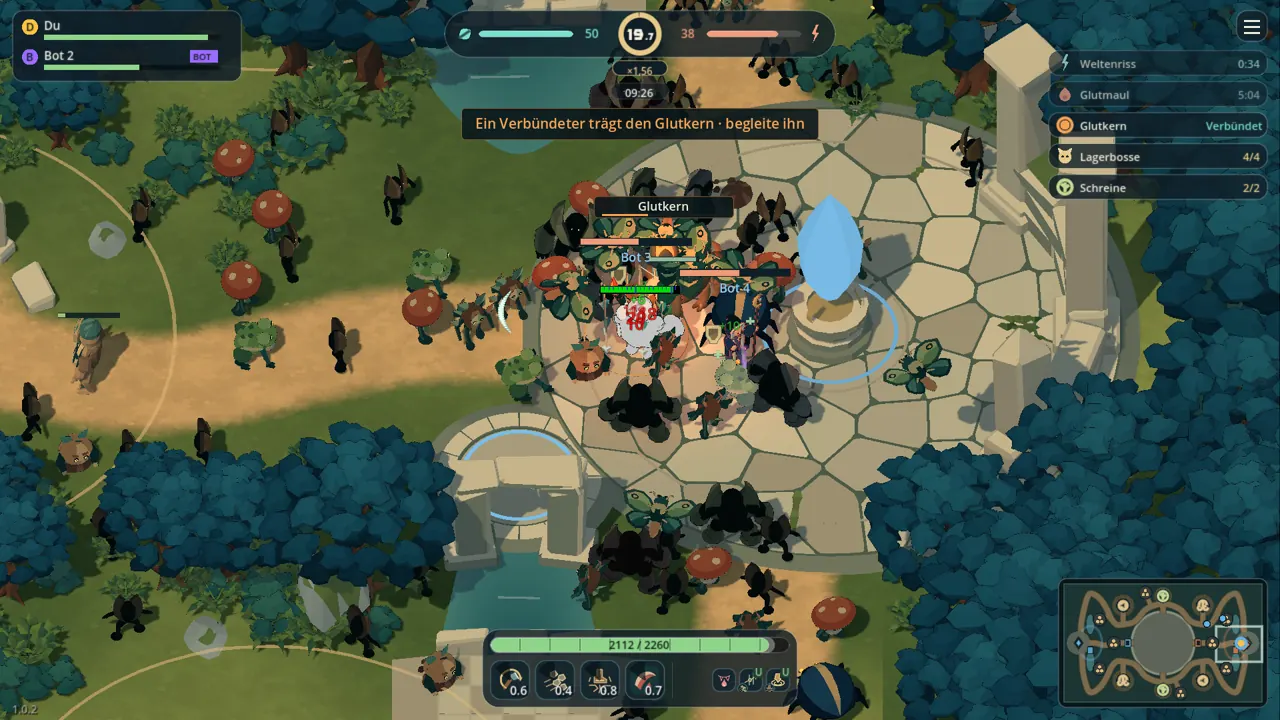
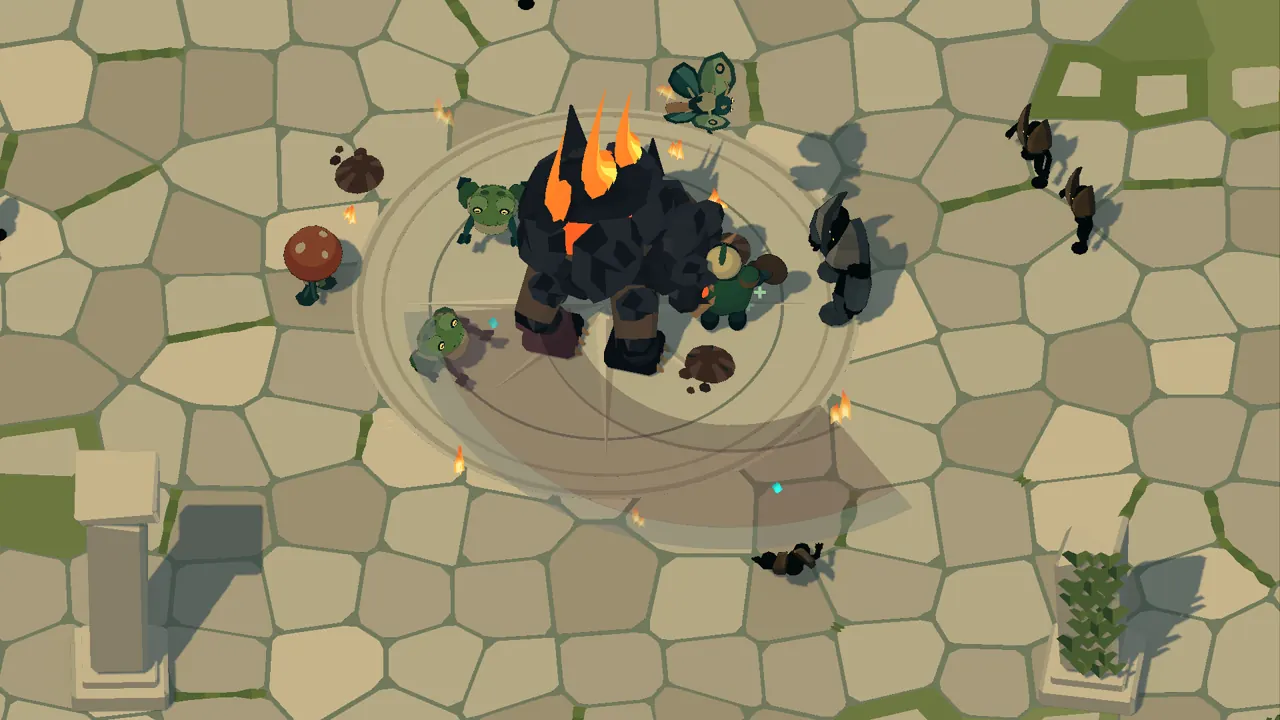
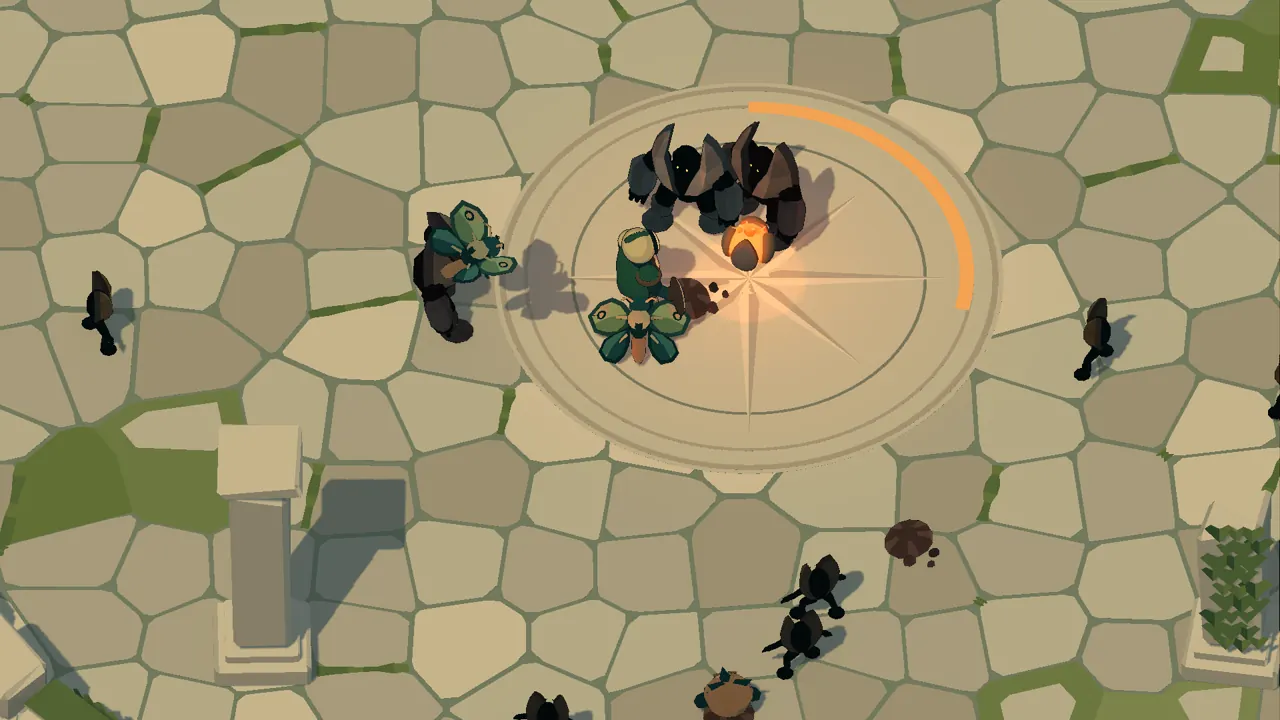
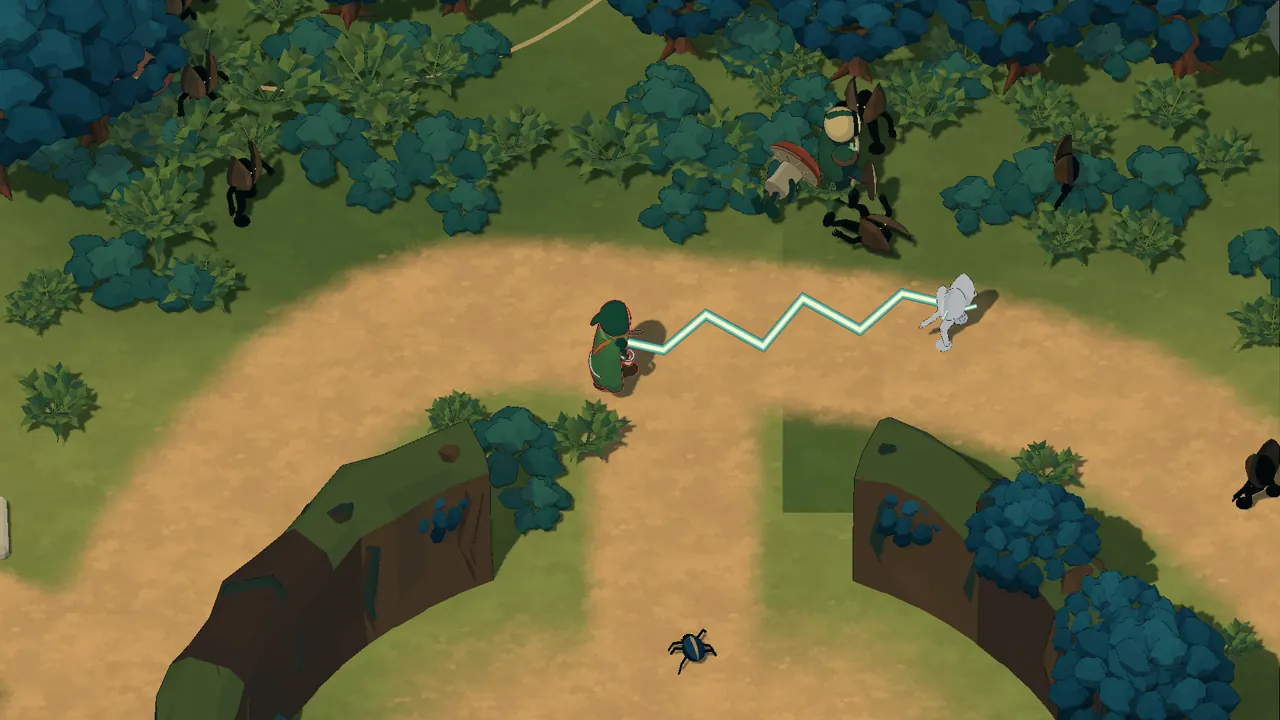
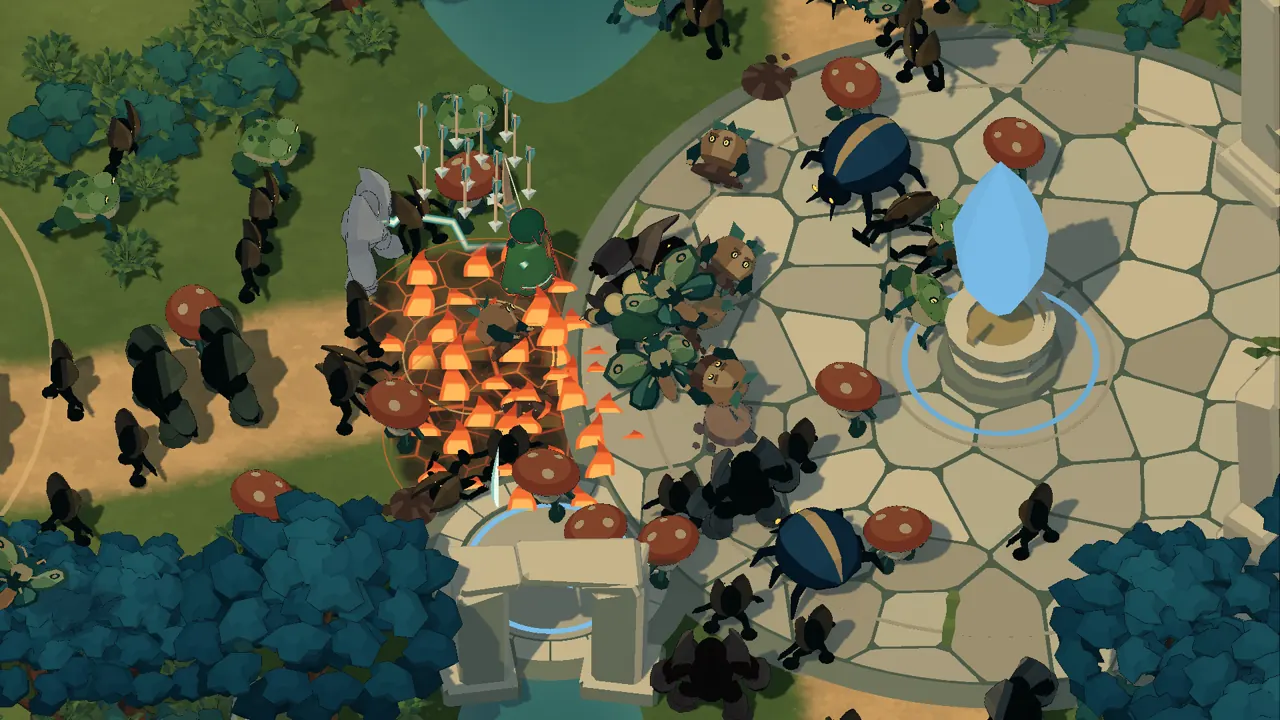
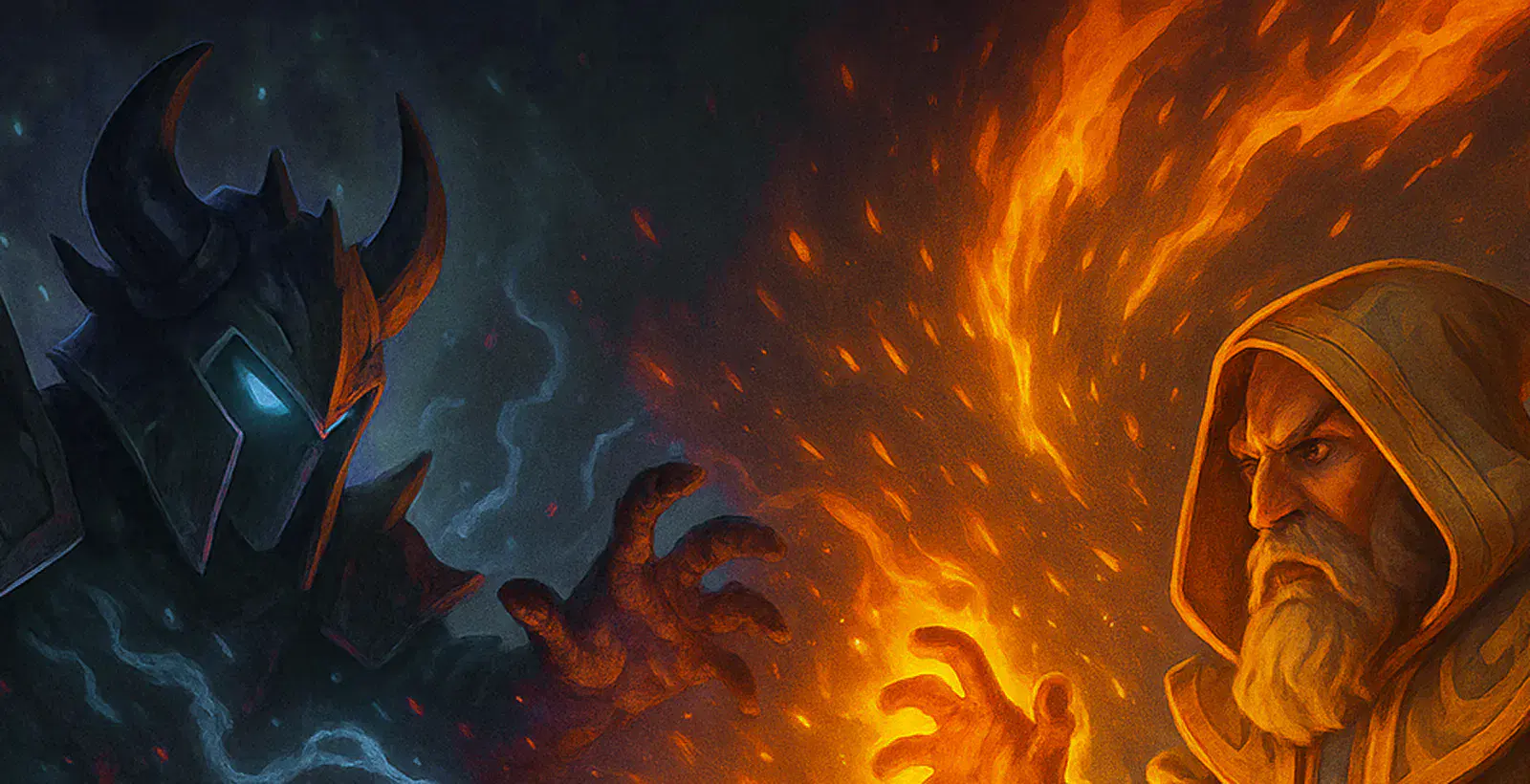
Once a single world's heart beat in the Ruins. It shattered, and its shards became realms. Now it stirs again – and only whoever holds the Ruins decides what world it becomes.
The Ruins Arena is the scar where all realms touch. At its centre glows the Ember Core, the largest shard of the heart. The Ruin Pact lets only small champion teams into the Ruins; each team anchors its realm with an Anchorstone. Whoever destroys the enemy Anchorstone wins the match. In the lobby the two realms face each other:
“What once burned will burn again.”
They once guarded the heart and want to rekindle it so the world becomes one again.
“What sleeps should stay asleep.”
A court that lives in the mist between the realms. It wants to cool the heart and keep the realms apart and safe.
Every hero starts with a starting package for Strength, Agility or Intelligence and then picks further skills, upgrades and passives from cards. Texts and base values come straight from the in-game wiki.
Base values before attributes, passives and upgrades. The balance can change between versions; the game always uses the current values.
Current version: Game 0.4.42 · Launcher 0.4.42.
New website. The sections of the site are now real tabs, and you always find Sign in and Register at the top right. New screenshots from the current game.
New story: The Worldheart. Emberwatch and Mistcourt struggle for the shards of the Worldheart in the Ruins Arena. The base crystals are now called Anchorstones, the realm anomalies Realm Rifts.
Your own accounts. One account works here on the site and in the launcher.
Fire Wall and Pressure Beam reworked. The Fire Wall burns as one continuous, flickering front, the Pressure Beam flows like real water. Frost Breath now blows mist and small ice chips.
New look. Main menu, lobby, wiki and launcher in one shared style.
What changed with every version of the game – newest first. The launcher shows the same entries under "News".
The 100 best players of the rated matches from matchmaking, separated by mode. Players without a rated match do not appear here. Quick play, lobbies and private matches count for neither the rating nor the season.
| Rank | Name | Tier | Elo | Wins/Losses |
|---|
Player profile
Public figures from rated matchmaking matches – the same as in the leaderboard.
Create an account, get the launcher and sign inRequest access (closed beta), get the launcher and sign in – the steps are listed under Download. To get started, choose Play Solo: the first time, a tutorial guides you across the map.
Yes. You sign in to the launcher with your account; the same sign-in works here on the site. Depending on the setting, a new account is active right away or is first approved by the administration.A closed beta is currently running: the administration hands out accounts on request (see Access on request).
At the top right, under Sign in → Forgot password?, you get a link by e-mail. If this server has no e-mail delivery set up, the administration helps: it can give you a one-time link for a new password.
One person chooses Create Game, the others find the lobby under Open games or join with an invitation code. In the lobby you set 1v1 or 2v2 and, if you like, fill empty slots with bots.
Only matches from the search count. Matchmaking (rated) counts for account level, achievements, rating and season; Quick play on a game server for account level and achievements, not for the rating. Lobbies – also on game servers –, private lobbies, self-hosted matches, the practice ground, solo against bots and the tutorial count nowhere. The lobby shows under its name what the next match counts for. One quick play counts for one match: a rematch in the same lobby does not count.
In the in-game wiki – available in the main menu, in the lobby and during the match. It shows all skills, passives, upgrades, Realm Cards and enemies with their values.
The launcher is not yet notarised by Apple. The steps are listed under Mac help in the download section.
Dedicated game servers are currently run by admins only, and only on Linux. But anyone can open a match of their own for friends via Create Game.
The game automatically sends a diagnostic report after matches, and after a crash on the next start. For connection problems, choose Check connection → Copy diagnostics in the launcher and send the diagnostics to the administration.
Facts, texts and images about Realm of Realms for articles, videos and streams. Requests and interviews: via the contact details in the legal notice.
A multiplayer arena game in a dark forest: you steer your hero, your spells cast on their own. Recruit troops in the camps, defeat bosses and destroy the Anchorstone of the enemy base.
You move with WASD, your skills fire automatically. What counts are your decisions: which attribute, which skill, which camp first.
Screenshots and logo may be used freely for coverage of Realm of Realms.
Development state as of 9 October 2026. A click downloads the full-size image.

How to get into the game: create an account under Register at the top right,request access (closed beta), get the launcher for your system and sign in with your account. The launcher downloads the game and keeps it up to date.
Client version: 0.4.42
What is new in this version?The setup installs only the launcher – no administrator rights needed, with a Start menu entry; you can remove it in Windows Settings under Apps. It is not yet signed with a publisher certificate, so Windows SmartScreen shows a notice before it starts. If you trust this download:
The launcher downloads the game files itself and checks them against the server's signature. If you prefer not to install anything, use the portable ZIP.
For updates, simply open the same launcher again. For connection problems: Check connection → Copy diagnostics.
Before a launcher update, quit the previous launcher completely (Cmd+Q). Unpack the new ZIP into a folder of its own and open the app there.
The launcher is not yet notarised by Apple. If macOS blocks opening it and you trust this download:
Questions about the game or looking for people to play with? Community on Discord
Sign in with your account.
A launcher wants to sign in with your account. Only confirm if the launcher shows the same code.
Sign in with your account at the top right. No account yet? Then register.
New accounts are currently handed out by the administration. Ask the person who gave you the link to this site, or write to the contact address in the legal notice.
The administration gave you a start password. Please set a password of your own now – until then, playing and the administration are locked.
Your account has no display name yet. Please choose one below now – until then the other account settings, the administration and matchmaking stay locked. The display name is public: others see it in the game and in the leaderboard.
Protects signing in on this website with a code from an authenticator app.
1. Scan the QR code with your authenticator app (e.g. Google Authenticator, Microsoft Authenticator, Aegis, 1Password) or enter the key by hand.
Key:
Recovery codes – each works exactly once if your device is missing. They are shown only now: copy or download them and keep them safe.
DownloadConnect your account to sign in without a password, on the website and through “Sign in with the browser” in the launcher. Your password stays valid.
In short – everything else is in the full privacy policy (English).
Access to the game runs through your account. Page views, sign-ins, downloads and game joins are logged with account, IP address, time and result for at most 30 days.
When you register we store your user name, display name, e-mail address, language and a salted password hash. The display name is mandatory and public: others see it in the game and – after a rated match – with your rating in the leaderboard. We use the e-mail address only for account confirmation, password reset, approval and security messages – no newsletter, no disclosure. Unconfirmed registrations are deleted after 7 days; registrations waiting for approval without e-mail delivery after 30 days. Of messages we send we keep only the type, time and a checksum of the address for 2 days (protection against abuse). If the administration creates an account for you, it stores the same details (e-mail address optional, marked as unconfirmed until confirmed). To have your account deleted: write to the contact address in the legal notice or reply to one of our e-mails.
The game sends diagnostic reports after matches, and after an unexpected exit on the next start. They contain the game version, operating system, computer and graphics data, game state, runtime/network measurements and error locations. The reports are assigned to the account or game server, visible only to the administration and deleted after 30 days at the latest. Chat, keyboard input and complete game logs of your computer are not recorded.
Dedicated game servers send their server log and one record per match (result, duration, teams, display names, account id, builds, combat and connection figures) to the master server so that matches can be analysed. IP addresses, e-mail addresses and credentials are removed beforehand. Server logs are deleted after 14 days. Match records keep account id and names for 12 months and are anonymised afterwards; when an account is deleted we remove both immediately. Only the administration can see this.
With two-factor sign-in (on by default for admins, optional for everyone else) we store the key for the authenticator app encrypted, the recovery codes only as a checksum and the time step of the last code used – until you switch it off or the account is deleted.
This site loads no third-party content and sets only the technically necessary sign-in cookie.
If you switch the language at the top (DE | EN), your browser remembers this choice in a cookie without an identifier and in the local storage of the site.
The launcher is now signed in with your account. You can close this window and return to the launcher.
One-time initial setup of this installation. The account gets admin rights and afterwards signs in through the normal sign-in.
Checking the setup link …
| Warning | Level | Since | To | Duration |
|---|
At a season change the old season's leaderboard stays available as its final standings; every rating moves by the configured share towards the start value, wins and losses start at 0 and every player receives a badge for the highest tier reached. An end in the past closes the season within 30 seconds.
Create an app at each provider and enter the redirect address shown here. Save the client ID and client secret here; the secret is stored encrypted and never shown again. No new accounts are created this way: players connect their account under “My account” or sign in with the same confirmed email address.
This server is missing the two-factor key file; without it no secrets can be stored (run Install-Master again).
Set up e-mail delivery: in deploy/<umgebung>.env, fill in the “E-Mail” block (SMTP_HOST, SMTP_PORT, SMTP_SECURITY, SMTP_USER, SMTP_PASSWORD, MAIL_FROM) and run tools/Install-Master-Testing.bat or -Production.bat again. After that “Open” can be chosen too and “Forgot password” sends links.
The account is approved right away. No e-mail needed: you either set a start password (must be changed at the first sign-in on the website) or create a one-time link with which the person sets their own password. New admins set up two-factor sign-in at their first sign-in.
Copy this link now and pass it on safely. It is shown only this once, is valid for 72 hours and works only once.
| Status |
|---|
| Type | Device | Last | Expires |
|---|
| Time | Event | IP | Result |
|---|
| No. | Mode | Start | Duration | Result |
|---|
| Received | Role | Other side | Reason | Status |
|---|
| Time | Event | IP | Result | Detail |
|---|
| Game servers | Address | Operator | Version | Status | Occupancy | Region | Last check |
|---|
Hide: the game server stays registered but no longer appears in the game list (applies to address and port, also after a restart). Unregister: removes only the current registration; the machine registers again as long as its operator is active. Region: “Server: …” or “From the server” takes the machine's REALM_REGION – only the English id such as eu-central; other values, even a name such as EU-Mitte, count as “unknown” with a hint to the id, the server stays usable; a region chosen here applies to address and port, also after a restart. Players only take game servers of the regions they ticked – never others; servers without a region only with their own tick.
| Operator | Status | Game servers / quota | Key since |
|---|
Copy this key now and keep it safe. It is shown only this once; the master server stores only a checksum.
| Release | Note |
|---|
Dedicated game servers run on Linux (x64) in Docker only. Nothing is installed on the machine: no service, no tool, no firewall rule. One container runs all game servers of the machine and updates them by itself. Create the operator key above under “Operators and keys”.
Unpack the ZIP, then:
cd Linux-Server && cp realm.env.example realm.env && nano realm.env
./start.sh
realm.env holds the location name, the operator key, the number of servers (empty = recommendation for the machine) and the servers' region (REALM_REGION, only the English id, e.g. eu-central for Nuremberg). ./start.sh first checks everything (Docker, package, every value, free ports, disk space) and names all problems at once; then it builds the image, starts the container and waits until the master has verified every server. Without realm.env it creates the file and asks on the terminal for what is missing. After a change to realm.env or a newer package just run ./start.sh again.
Game ports from UDP 8093 (testing package: from 8094), status ports +1000 each; both ranges must be open in the hoster's firewall. If servers stay at “check in progress”, these ports are not reachable from outside; ./start.sh and ./status.sh say so with the exact ranges. The container updates the game and its supervisor by itself. Overview: ./status.sh. Maintenance without cutting matches: ./stop.sh, continue with ./start.sh. Remove: ./remove.sh. Never pass the key on a command line; if it ended up in a shell history, create a new one above under “Operators and keys”. All settings and the manual Docker commands are in SERVER_PACKAGE.md in the package.
| Address | Since | By |
|---|
| Address | Region | Since | By |
|---|
| Team | Player | Origin | STR / AGI / INT | K / D | Hero damage | Taken | Healing | Base damage | Objectives | Connection |
|---|
| Time | Emberwatch base | Mistcourt base | Kills | Hero damage | Base damage | Troop level |
|---|
Positions of heroes, troops and bosses twice a second, recorded by the game server; kept like the match record. No 3D replay.
| Game time | Tick | Longest sections in that second |
|---|
| Section | ms per second | Calls | Longest call (ms) |
|---|
Performance data are technical measurements of the game server (tick times, sections, counters, machine load) without names or account ids; players appear only as slot numbers. Kept for 90 days, the key figures per match stay with the match record.
| Day | Matches | Finished |
|---|
| Mode | Matches | Avg. duration (decided) | Surrenders | Aborted | Emberwatch wins | Mistcourt wins |
|---|
| Origin | Picked | Pick rate | Win rate |
|---|
| Name | Picked | Pick rate | Win rate |
|---|
| Release | Matches | Matches with errors | Error lines in matches | Warnings | Error lines outside matches |
|---|
| Release | Matches | Avg. tick (ms) | Longest tick (ms) | Overload share |
|---|
| Game servers | Matches | Avg. tick (ms) | Longest tick (ms) | Overload share |
|---|
Pick and win rates count decided matches (one team won); bots are included. Pick rate = share of hero entries with this pick.
Lines of the game servers outside matches (start, lobby, idle) and whole sessions. A session is one server process from its start to its restart.
| Server | Operator | Release | First line | Last line | Lines | Error |
|---|
Raw logs are kept for 14 days. Match records keep account id and names for 12 months and are anonymised afterwards (Player 1–4, gameplay figures stay). IP addresses, e-mail addresses and credentials are removed before anything is stored. Every opened evaluation or log is recorded in the administration log.
Fetches exactly the signed version that is active on Testing and makes it active here. In production, values are not edited directly.
Click a cell or press Enter/F2: edit · Enter/Tab: apply · Esc: cancel · arrow keys: move. Changes go straight into the draft (not active yet).
Export: Active version (JSON, for tools/balance_pull.py) · Table (CSV)
| Time | Version | Source | Admin | Values | Before |
|---|
| Time | Account | IP | Event | Result | Detail |
|---|
| Created | Type | State | Attempts | Last error |
|---|
For privacy reasons, failed mails are stored without content. Send again via the actions on the account (password link, confirmation e-mail, change e-mail).
Chat messages are not stored and cannot be read here. A report contains only what the reporting player submitted. Closing it deletes the chat excerpt. Every view and every decision is recorded in the log.
| Player | Left | Reason | Warnings |
|---|
Shown in the page footer, in the FAQ block “Community”, at the end of the start page and on the download page. A change applies at once, only for this environment. Saved empty, every Discord spot is hidden.
News appear on the start page, in the “News” tab and in the launcher. The changes of each version come on their own from the player changelog when it is published and are shown above; announcements, dates and notices belong here.
| Date | Title | English | Status |
|---|
| Version | Date | Entries |
|---|
| Error location | Type | Reports | Accounts | Last | Versions | Status |
|---|
| Received | Account | Version | Type | Report |
|---|